RIVE Doodle - Fall 2025
Constellations
Overview
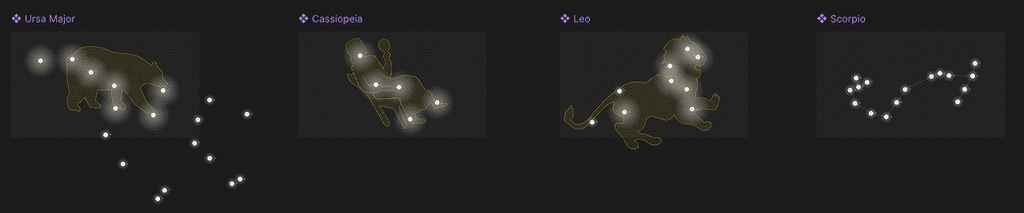
Inspired by Google Doodle, this connect-the-dots constellation experience mixes minimal instructions and text with a fun way to learn what actual constellations represent visually. The experience means to poke fun at the complex designs that people have historically said that constellations represent.
Objective
To create a minimally instructive interactive experience using RIVE.
Iterations and Planning
Ideas and Site Map
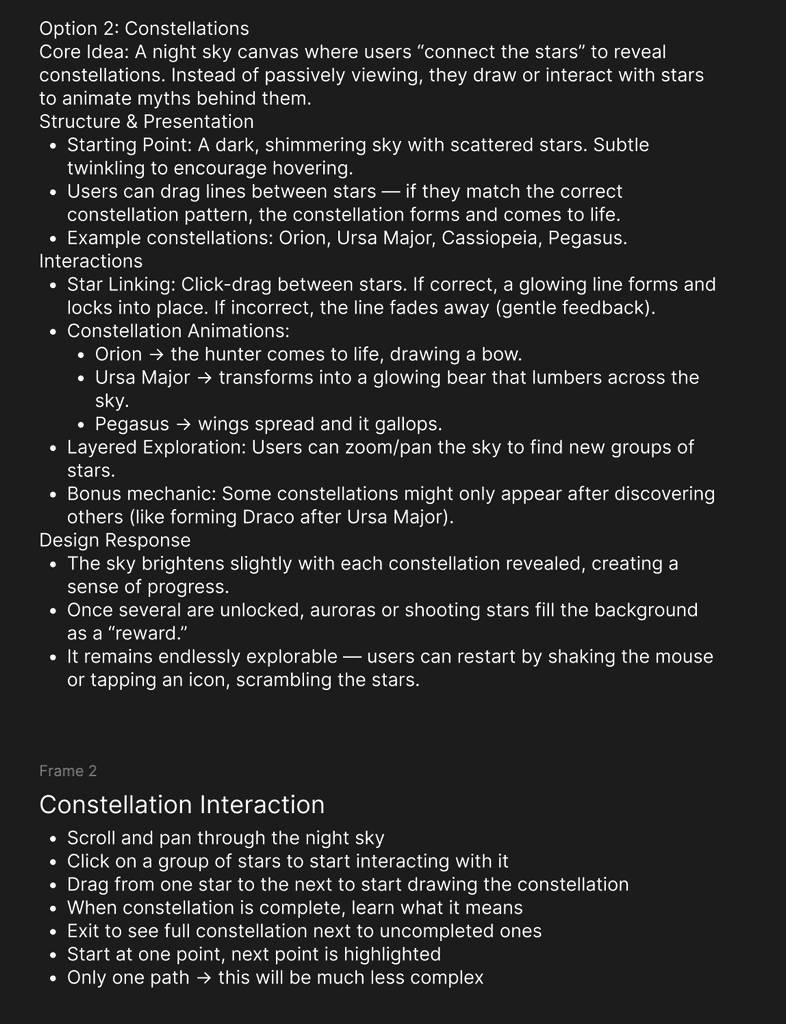
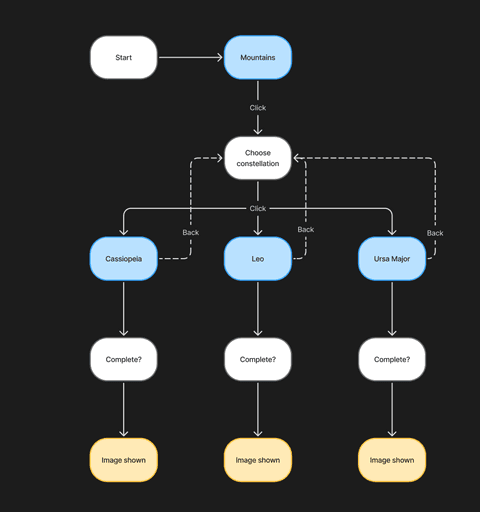
Iterations
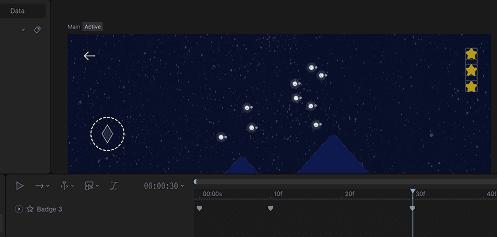
Final Design & Process
Setting Up Paths
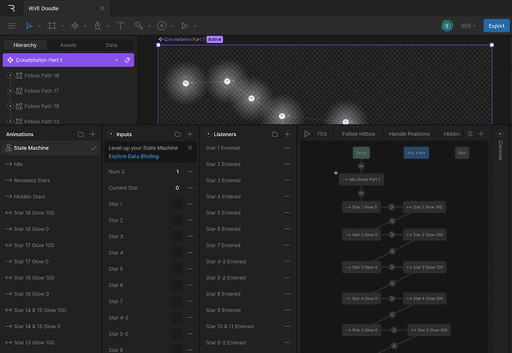
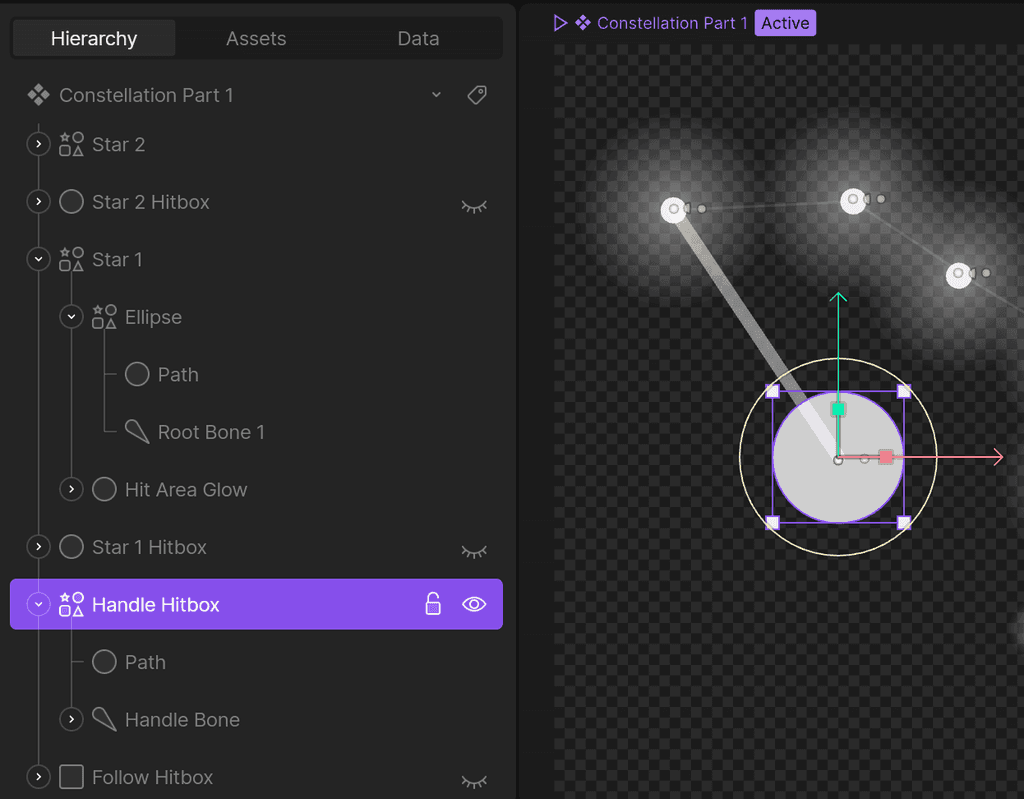
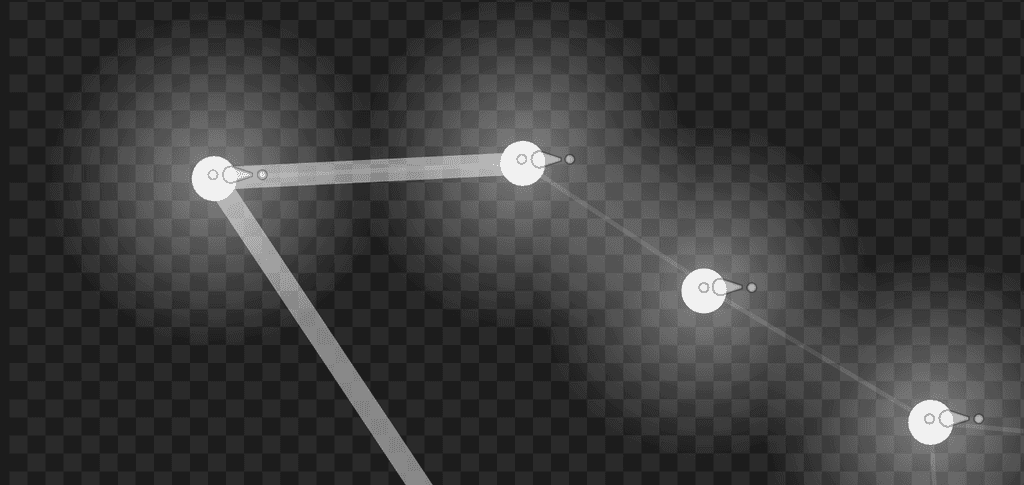
To connect all of the stars, I used bones on each star. These either connected one star to another, or connected a path from one star to my Handle Hitbox, which follows the user's cursor. This allows for the illusion that there is a preview path available to the user to show where they are dragging from. This also allows me to manipulate the stars however I want, without it messing up the animation.
Components
I set up each constellation inside its own Component, start with the largest; Ursa Major. This allowed me to nest each constellation inside the main artboard and toggle its visibility when needed. However, each Component has a ton of Timelines and State Management layers to control the individual interactions.
Paths
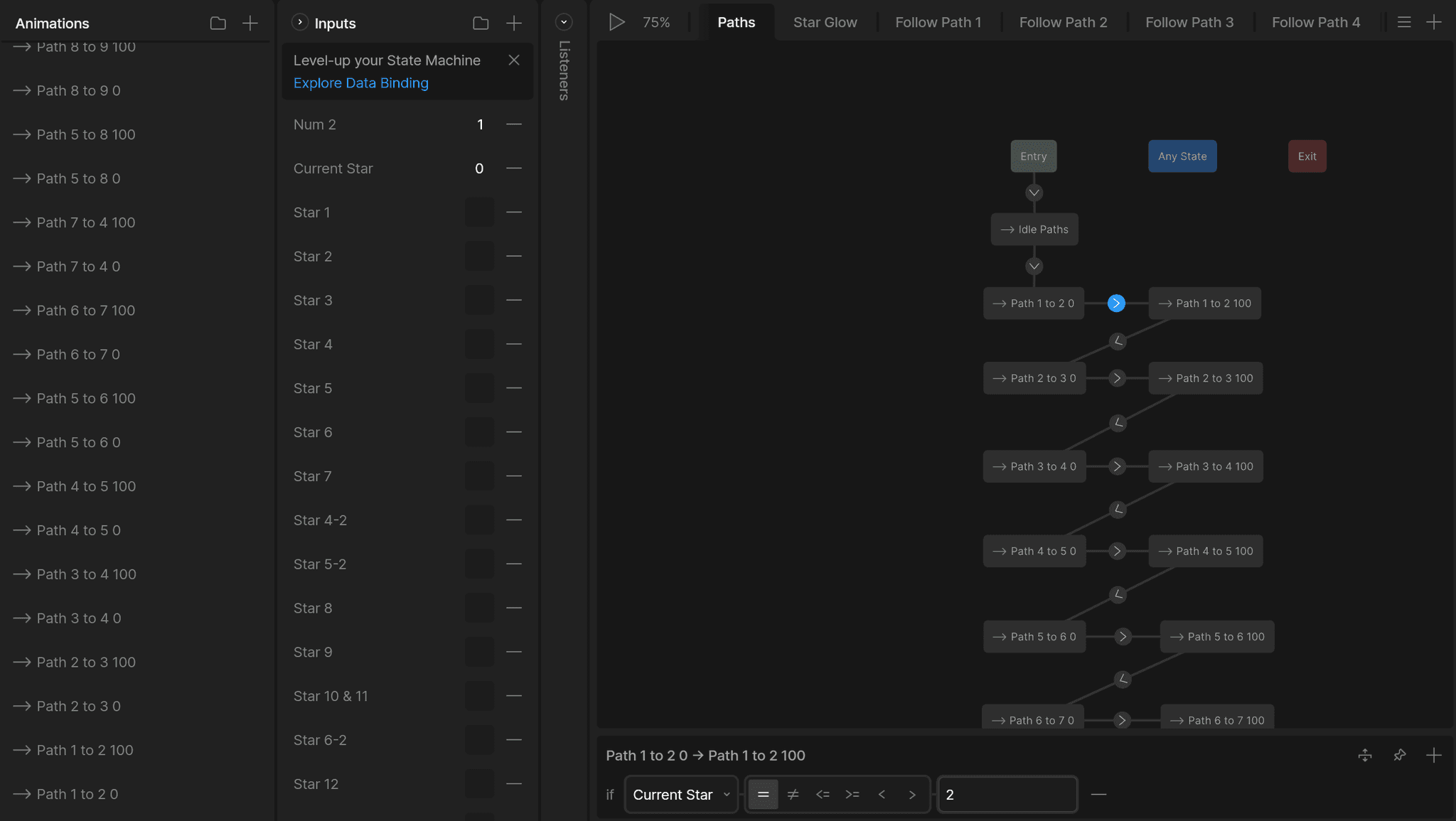
The paths between the stars had to be prototyped to only appear when the next star was reached. Therefore, I needed to track the current star that the player was at. This allowed me to hide or show the paths between the stars when needed.
Follow Paths
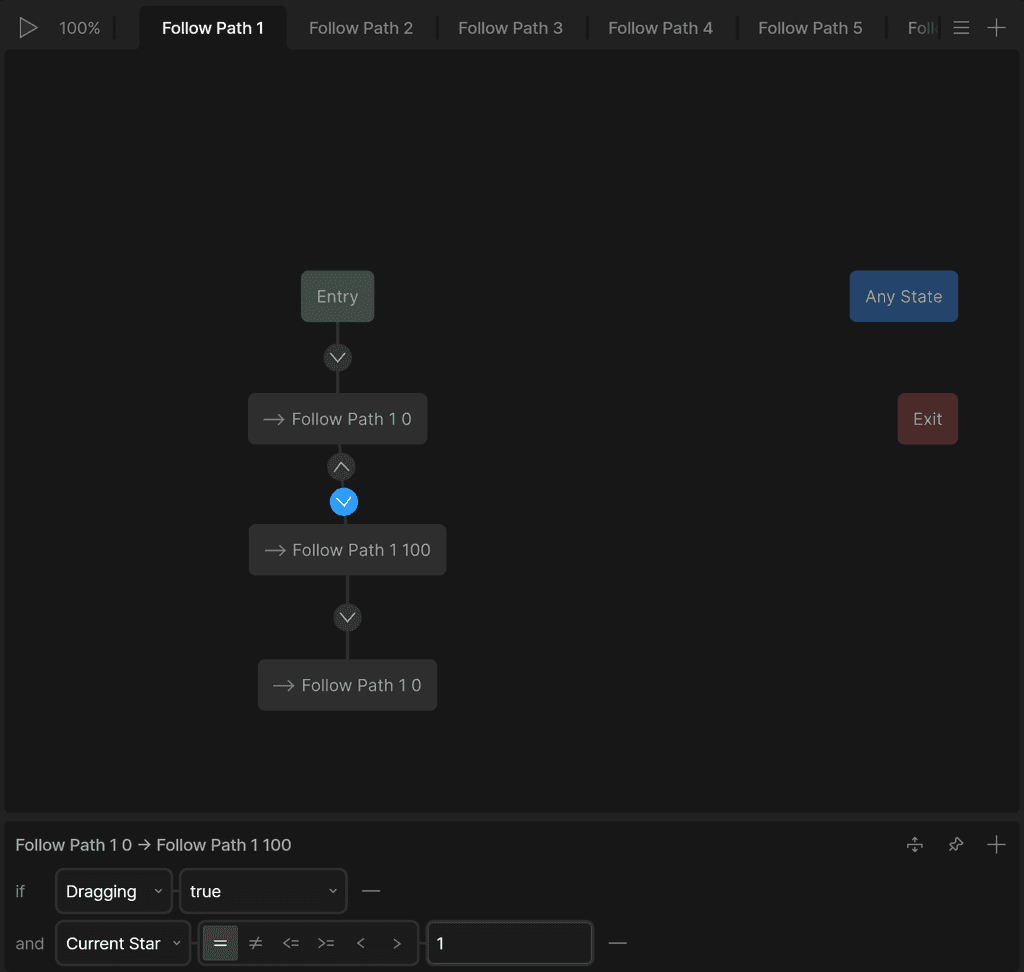
The paths that follow the user's cursor were a bit more complicated. I needed to enable them at the right moment, specifically when the user was dragging, and when they were at the correct star.
Star Hitboxes
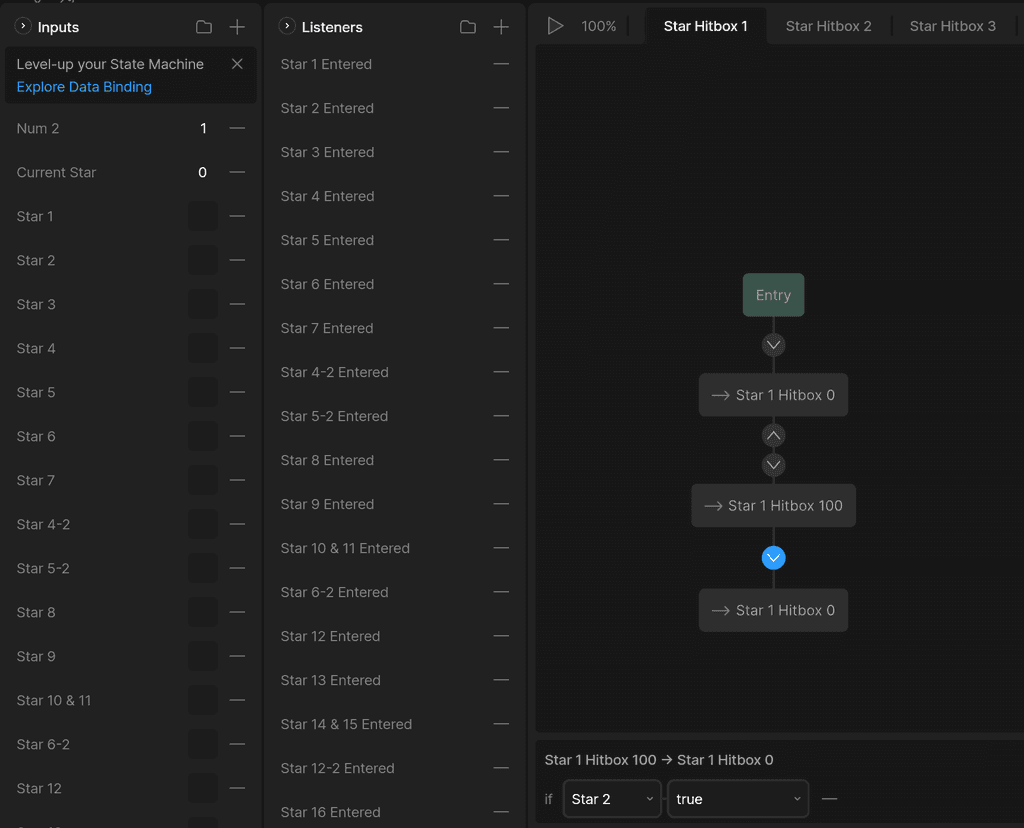
To ensure that the user went in the correct order, I implored two strategies, one that I will cover later in 'Star Glows'. The first, was completely necessary, and handled the physical hitboxes of the stars. Each star needed a hitbox to ensure that when the pointer entered the hitbox (Listener), that star would be set to the current star, and a boolean checking whether the star was entered was marked true. However, I needed to disable the hitbox once the next star was complete, so indivudal State Management Layers were implemented to manage each star's hitbox.
Handle Management
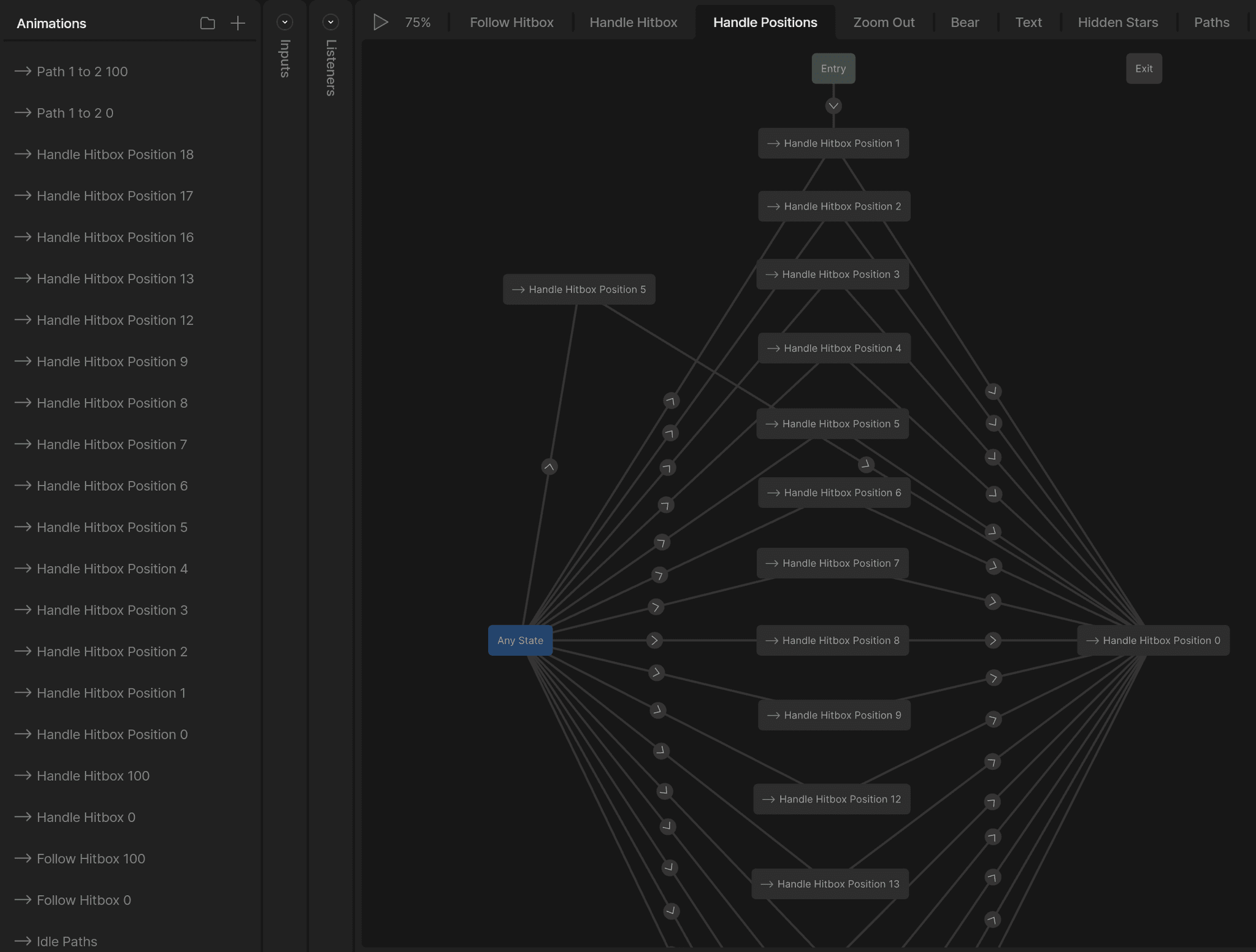
To make sure that the handle that user uses to control the path of the constellation stayed in its correct place, as well as snapped back into the most recent position if the user lets go, I had to do quite a bit of Timelines and State Management to make the user experience as smooth as possible. This required me to map out the exact positions that the handle could be at, and then set that in a large State Management Layer. However, this wasn't as simple as it seems. Since multiple stars can be visited multiple times depending on the constellation, multiple variables such as numbers and booleans were used to check the current star.
Star Glows
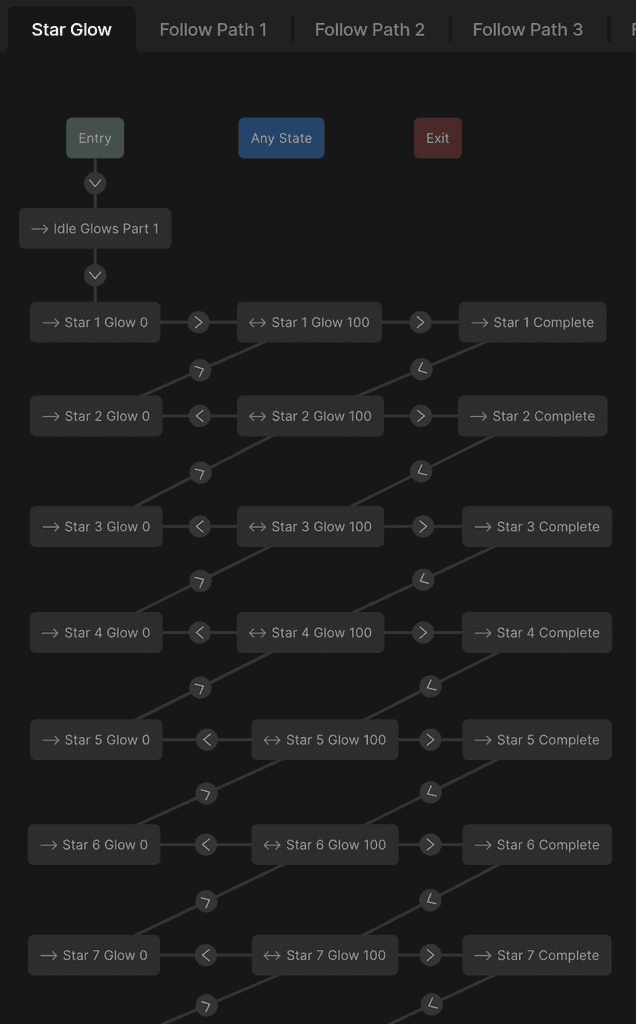
I implemented an idle glow animation into each star to indicate to the user which star was ready to be dragged, and while they are dragging, which star to drag to. To do this, I implemented a rather complex State Management Layer that handles the glowing animations.
If the star is equal to the current star, the star goes into its idle glow state (Star X Glow 100). Once the user starts dragging from the star, the star completes its glow, and the next star begins its idle glow state. However, if the user lets go of the handle before they reach the next star, that star goes back to not glowing (Star X Glow 0), and returns to the previous star's glowing state.
Constellation Previews
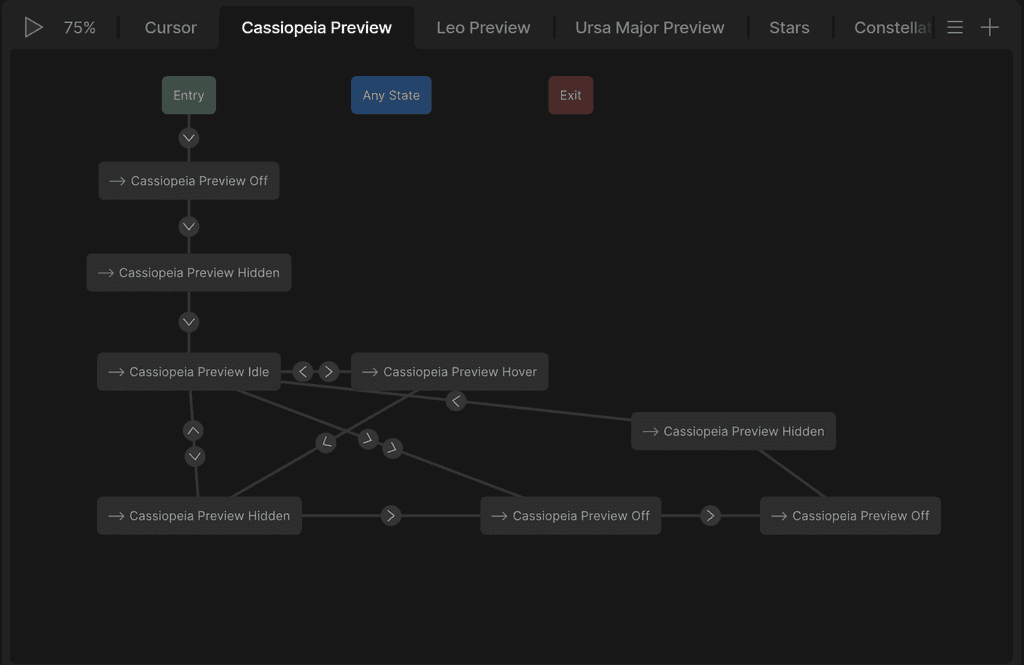
In my main artboard, I needed to hide or show the preview of the constellation depending on the "screen" that the user was on. However, it wasn't as simple as enabling and disabling the preview. I needed to first hide the preview in the way that I wanted, then disable any interaction. This caused me to create a weird workaround that ended up working quite well.
Wrapping Up
What I Learned
This project was a great learning experience. I always love taking opportunities to learn new things, and RIVE was definitely a worthy challenge. Since RIVE is meant to develop real interactive assets for implementation, the workflow is very different than making something animate in Figma or creating a video in After Effects. Having some development experience, I understood a little better how to animate, manage states and events, and manipulate assets.
I started work on this project rather early, because when I started with this idea, I had no idea how to make a connect-the-dots experience inside of RIVE. I ended up switching between Booleans and Triggers quite a few times, to test which one was best for what I needed. I ended up using Booleans, which allowed me to make necessary checks across multiple State Managements. Learning how to use Bones was also crucial, as it allowed me to manipulate the different stars however I wanted, but still keep the paths intact. This made reproducibility for other constellations incredibly easy.
One thing that annoyed me about RIVE however, was the lack of control of nested components when inside a larger artboard. I was able to expose the variables I wanted to manipulate, but while completing the interaction, I was unable to manipulate them using listeners and state management. This came to light while I was trying to make Badges for completing constellations. I was able to complete the constellations, but the components I was using for the constellations had no way to communicate on the backend that they were complete.
RIVE has brought out some opportunities that I wasn’t aware of before. Because of this project, I am more knowledgeable in UI Animation, which I intend to study more, as well as interaction in terms of development. I am also quite excited to use these new skills for larger projects, such as game design projects, and maybe even my Senior Development project.
In the end, it was a lot of fun experimenting in RIVE, and I hope to continue honing my UI Animations skills as well as my creativity when it comes to interaction.